
How to Fix a Shark Vacuum Lost Suction Step by Step
To fix your Shark vacuum’s lost suction, start by removing the vacuum head cover and taking out the brush roll. Cut away any hair or debris tangled around it to keep things spinning smoothly.
Then, check for blockages in the brush area and vacuum hose—these sneaky clogs can really kill suction.
Next, empty the dust bin completely. A full bin can seriously reduce your vacuum’s power.
After that, clean or replace the air filters. If your filters are washable, make sure they dry fully before putting them back in.
Once everything is clean and dry, reassemble your vacuum securely. Give it a test run to see if the suction has improved.
Following these simple steps can help get your Shark vacuum sucking like new again. And hey, keeping up with regular maintenance will make sure it stays that way!
Key Takeaways
- Remove and clean the brush roll. Cut away any hair and debris so it spins freely.
- Take a good look at the brush area and vacuum hose. Clear out any blockages you find to get that airflow back.
- Empty the dust bin completely. Then, make sure you reinstall it securely to avoid losing suction.
- Wash or replace the air filters regularly. This step is key to keeping your suction power strong.
- Finally, put the vacuum head back together properly. Give it a test to check both suction and brush rotation after cleaning.
Clean the Brush Roll and Vacuum Head to Restore Suction

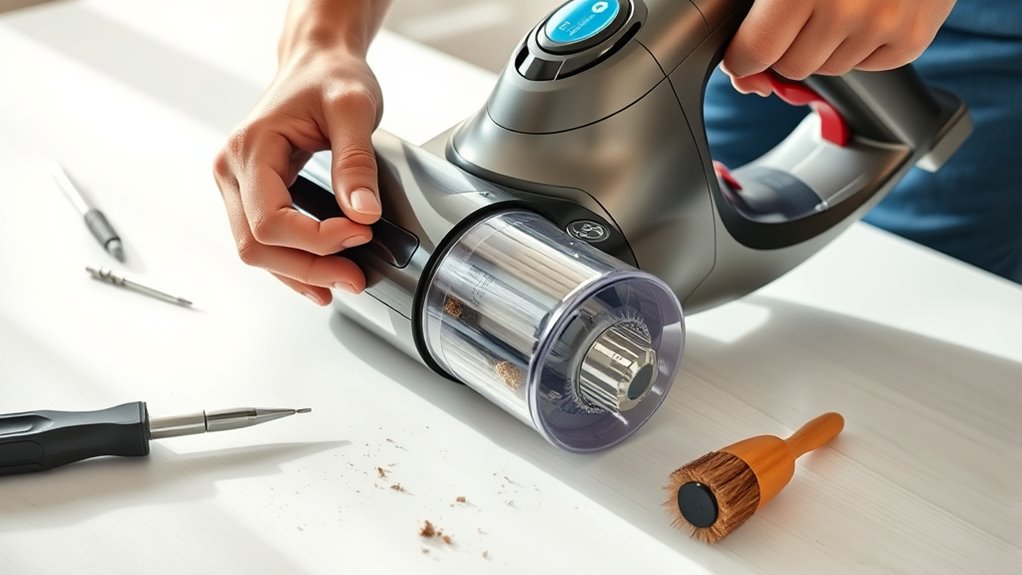
Before you assume your Shark vacuum has a bigger problem, start by cleaning the brush roll and vacuum head. Remove the vacuum head cover and lift out the brush roll to inspect for tangled hair, dust, or fibers that block airflow.
Begin troubleshooting your Shark vacuum by removing and cleaning the brush roll to clear any tangled debris.
Use scissors or pliers to carefully cut away any debris wrapped around the brush bar, making sure it spins freely. Keep an eye out for obstructions or buildup around the brush area that could cause a blockage or stop it from rotating.
Clearing these blockages helps restore suction by improving airflow through the vacuum. Don’t forget to check the hose for any hidden obstructions as well.
After cleaning, reattach the brush roll securely and latch the vacuum head cover properly to keep everything working right. Then, test the vacuum to make sure the brush spins smoothly and the suction improves.
This simple step often solves common suction issues before you even need to empty the dust bin or try other fixes. It’s an easy way to get your vacuum back to top performance!
Empty the Dust Bin and Clean or Replace Air Filters for Better Suction
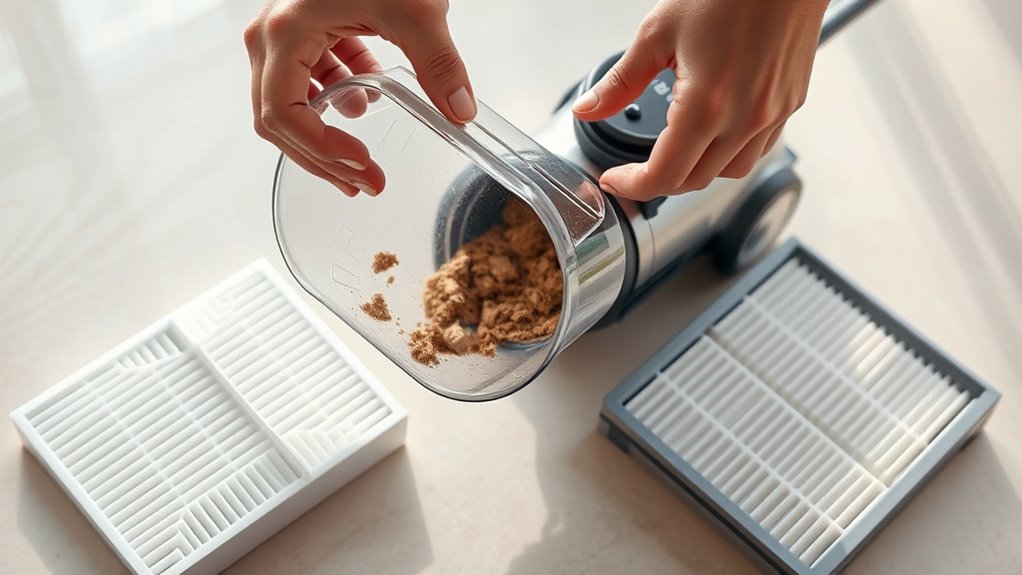
When your Shark vacuum loses suction, emptying the dust bin completely is essential to prevent airflow blockages. Start by dumping all debris into the trash to maintain ideal suction.
Next, remove the air filters and check if they’re washable or disposable. Wash washable filters under running water until clear, then let them dry for 24 hours before reinstalling.
Replace disposable filters if clogged or discolored to restore proper airflow. Regular maintenance, such as cleaning filters every 2-3 weeks, especially with pets or allergies, boosts vacuum performance considerably.
After cleaning or replacing, reassemble the vacuum and test suction.
| Filter Type | Cleaning Method | Maintenance Frequency |
|---|---|---|
| Washable Filters | Rinse under water | Every 2-3 weeks |
| Disposable Filters | Replace if clogged | As needed |
| Dust Bin | Empty completely | After each use |
Following these steps keeps your vacuum’s suction strong and airflow clear.
Frequently Asked Questions
What to Do When a Shark Vacuum Loses Suction?
When your Shark vacuum loses suction, the first thing to do is check and empty the dust bin. A full dust bin can really slow things down.
Next, clean or replace the filters. Dirty filters block airflow and reduce suction.
Also, take a look inside the hose and brush for any clogs. Sometimes debris gets stuck and causes problems.
Don’t forget to remove any debris from the roller. That can make a big difference.
Finally, make sure your vacuum is properly powered or charged. Without enough power, suction will drop.
How to Restore Vacuum Suction?
You restore vacuum suction by emptying the dustbin and cleaning or replacing filters. This helps keep everything flowing smoothly.
Next, check for clogs in the hose and brush. Clearing those out can really boost the suction power.
Also, try adjusting the cleaning head height. Sometimes it’s just set too high or too low for the surface.
Don’t forget to inspect for leaks. Even a small one can cause a big drop in suction.
Finally, make sure the vacuum is fully powered and properly connected. Without power, nothing works!
Why Does My Vacuum Run but No Suction?
Your vacuum runs but has no suction because the dustbin’s full, filters are clogged, or there’s a blockage in the hose.
Leaks, cracks, or a weak battery in cordless models can also cause this issue.
It’s usually something simple to fix, so don’t worry too much just yet. Check these areas first and you’ll likely get your suction back in no time!
Is There a Reset Button on a Shark Vacuum?
You won’t usually find a reset button on a Shark vacuum—it’s like trying to find a secret door in a plain room.
Instead, you just unplug it, wait, then plug it back in to reboot the system.
Conclusion
So, after all that hassle, you just needed to clean the brush roll and empty the dust bin? Who would’ve thought that a vacuum losing suction was anything but a mystery worthy of a detective novel?
Next time your Shark loses power, don’t panic—just give it a little TLC. It’s funny how something so powerful can get tripped up by a bit of dirt.
Now you know: keeping it clean keeps it working. Easy, right?
When your Shark vacuum loses suction, the solution is often simpler than you expect. Regularly cleaning the brush roll and emptying the dust bin are key steps to maintain strong suction. Dirt and debris can easily clog the system, causing it to lose power.
So, if you want your Shark vacuum to keep performing at its best, make sure to check these parts regularly. A little maintenance goes a long way in fixing suction issues and keeping your vacuum running smoothly.


3 Comments