Why Is My Shark Vacuum Not Picking Up and How to Fix It Fast
Your Shark vacuum isn’t picking up because blockages, a full dust bin, or dirty filters are limiting suction. These common issues can really mess with your vacuum’s performance and leave your floors less clean than they should be.
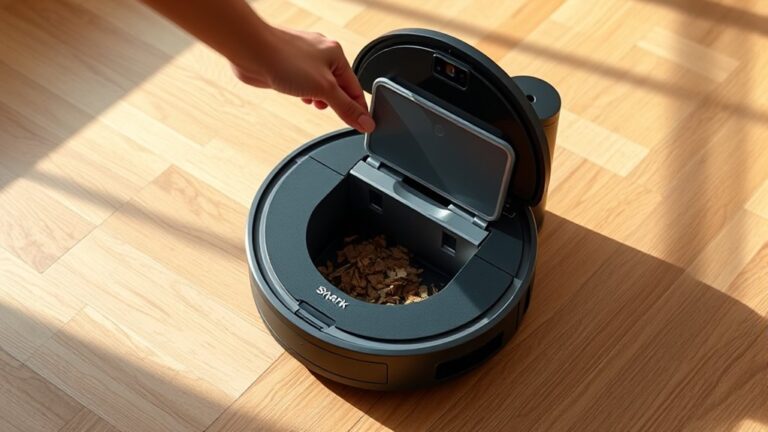
First, empty the dust bin when it hits the max line to avoid airflow restrictions.
Next, check the hose, wand, and floorhead for debris or clogs and clear them out.
Don’t forget to clean and fully dry the filters.
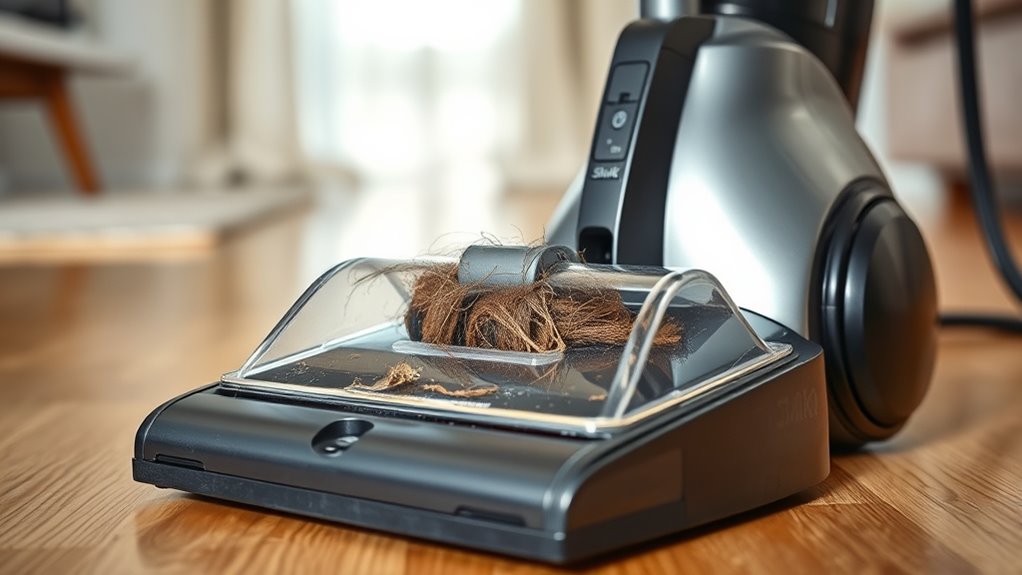
Also, inspect the brushroll for tangled hair that may stop it from rotating.
Keep going to uncover more quick fixes for better cleaning.
Key Takeaways
– Empty the dust bin when it reaches the “MAX” line to prevent airflow restrictions and keep that suction power strong.
It’s a simple step, but skipping it can really slow things down.
– Check and clear blockages in the hose, wand, and floorhead to get the airflow back to normal.
If something’s stuck, your vacuum can’t do its job properly.
– Clean and dry washable filters regularly to avoid suction loss caused by clogged filters.
Dirty filters are sneaky culprits that often go unnoticed.
– Remove hair and debris from the brushroll so it can spin freely and keep suction efficient.
A tangled brushroll just won’t cut it.
– Inspect the hose and motor for leaks, blockages, or weird noises that might be reducing suction or causing shutdowns.
Catching these issues early saves you a lot of hassle later.
Clear Blockages and Clean Filters

Although it’s easy to overlook, regularly clearing blockages and cleaning your Shark vacuum’s filters is vital to keep it picking up efficiently. Start by emptying the dust bin once it reaches the “MAX” line to avoid airflow restrictions caused by accumulated dust and debris.
Next, clear clogs from the hose, wand, and floorhead by inspecting for blockages and dislodging obstructions with a flexible tool. Don’t forget to check internal components like cyclone chambers and screens for any trapped debris that could reduce suction power.
For filter maintenance, remove and rinse washable filters with water until they’re clear, then let them dry completely for at least 24 hours before reinstalling. Keeping clean filters guarantees proper airflow, which is essential for peak suction.
Inspect Brushroll, Hose, and Motor for Suction Issues

How can you tell if your Shark vacuum’s brushroll, hose, or motor is causing suction problems? Start by examining the brushroll for tangled hair or debris that can block rotation and reduce suction performance.
Next, inspect the hose for blockages or clogs by feeling along its length and removing any debris with a flexible tool. Check the hose and connections for tears or leaks, as these reduce suction.
Finally, listen to the motor; unusual noises or a lack of humming may indicate motor issues affecting suction.
| Component | What to Check | Impact on Performance |
|---|---|---|
| Brushroll | Tangled hair, debris | Reduced rotation, low suction |
| Hose | Blockages, leaks, clogs | Restricted airflow, weak suction |
| Motor | Unusual sounds, failure | Loss of suction, vacuum stops |
Cleaning or replacing filters also helps maintain airflow and suction. It’s a simple step that can make a big difference!
Frequently Asked Questions
Why Will My Shark Vacuum Cleaner Not Pick Up?
Your Shark vacuum won’t pick up because of clogs, worn belts, or improperly seated parts. Check and clean filters, hoses, brushroll, and dustbin.
Replace broken belts, clear blockages, and make sure everything fits securely to restore suction.
Give these a quick look, and you should be good to go!
Is It Worth Fixing a Shark Vacuum?
It’s worth fixing your Shark vacuum if repairs are minor, like replacing filters or brushes.
But if motor issues arise or costs approach a new model’s price, you’re better off investing in a new vacuum instead.
Why Does My Vacuum Run but No Suction?
Your vacuum’s suction is like a blocked river; if it runs but won’t pick up, you’ve likely got a clog, leak, or motor issue.
Check hoses, filters, and locks to restore proper airflow and suction quickly.
It’s usually something simple that you can fix yourself. Just take a moment to inspect these parts, and you’ll probably have your vacuum working like new again in no time!
How to Unblock Shark Lift Away?
You’ll want to detach the lift-away pod first. Then, check the hose and internal airway for any clogs.
If you find debris, use a broom handle or a hanger to gently push it out. Make sure to clear any tangled hair or blockages you come across.
Once everything’s clear, go ahead and reassemble the unit securely. This will help ensure proper suction and keep your vacuum working well.
Conclusion
It’s funny how the tiniest blockage or a dirty filter can stop your Shark vacuum from picking up dirt, isn’t it? Just like that, clearing those clogs and giving your brushroll and hose a quick check often gets it working like new again.
So before you panic or call for help, try these simple fixes—you might be surprised how fast your vacuum bounces back and your floors get spotless once more.
When your Shark vacuum isn’t picking up debris, it’s usually due to a clog, a dirty filter, or something stuck in the brushroll. Checking these areas first can save you time and money. Make sure to clean or replace filters regularly and inspect the hose for any blockages. A quick maintenance routine can keep your Shark vacuum running smoothly and ensure it picks up dirt effectively every time. Don’t let a small issue stop your cleaning – a little troubleshooting goes a long way in fixing your Shark vacuum fast!