
Why Is My Shark Vacuum Not Charging?
If your Shark vacuum isn’t charging, it’s likely due to poor contact between the vacuum and dock, dirty charging plates, or a faulty power source. These are the most common reasons why your Shark vacuum might not be getting the juice it needs to run.
You’ll want to check these areas first before digging deeper.
Make sure the vacuum is properly seated on the dock. Sometimes it might look like it’s on, but it’s not making full contact. Also, take a close look at the charging contacts and clean them if they’re dirty or dusty.
Next, check if the dock’s indicator light is solid green. This usually means it’s working fine. If the light is off or blinking, there could be an issue with the power source or the dock itself.
Sometimes, software glitches can also cause charging problems. In these cases, a simple reset or updating the vacuum’s software might do the trick.
Keep exploring these simple fixes and learn when it might be time to replace parts to get your Shark vacuum back in action.
Key Takeaways
– Poor contact or misalignment between the vacuum and charging dock can prevent proper charging.
Make sure the vacuum is seated correctly on the dock so it connects well.
– Dust or debris on charging contacts or dock may block the connection and stop charging.
Give those contacts a quick clean to help everything connect smoothly.
– A faulty power adapter, outlet, or damaged charger can cause the vacuum not to charge.
Try plugging the charger into a different outlet or testing with another adapter if you can.
– Indicator lights not illuminating on the dock or vacuum often signal charging problems.
If the lights don’t come on, it’s a good clue something isn’t working right.
– Persistent charging issues after cleaning and resets may require battery or dock replacement.
If you’ve tried everything and it’s still not charging, it might be time to replace parts.
Why Isn’t My Shark Vacuum Charging? Common Causes Explained
If your Shark vacuum isn’t charging, it’s often due to poor contact between the vacuum’s charging plates and the dock. Dust or debris on the charging dock can block this connection, causing your Shark robot vacuum to fail charging.
You’ll want to check the indicator lights on the dock; if they don’t light up, it’s a sign of a problem. Also, make sure it’s plugged into a working outlet because power supply issues, like faulty adapters or outlets, commonly cause your robot vacuum not charging.
Using incompatible or damaged chargers can also reduce battery life and prevent proper charging. Sometimes, the charging dock itself might be faulty or damaged internally, which requires attention.
Understanding these causes helps you identify why your vacuum needs simple fixes before considering replacement or repair. By ruling out these common issues, you can better manage your Shark robot vacuum’s battery life and ensure it’s ready when you need it.
Easy Fixes to Get Your Shark Vacuum Charging Again
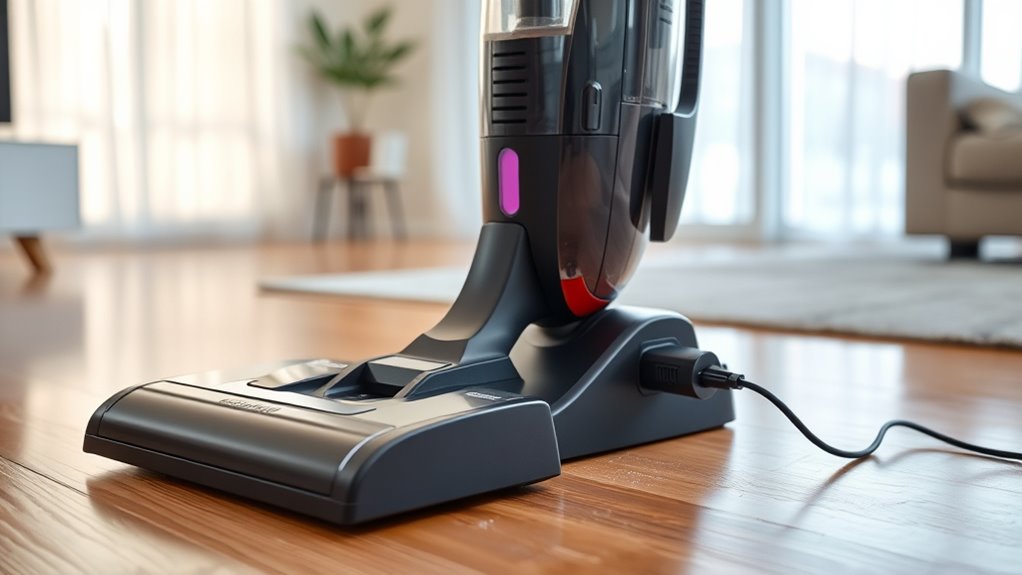
Although charging problems can be frustrating, you can quickly resolve most issues with a few simple steps. Start by checking your robot vacuum cleaner’s charging setup to verify everything is in order.
Charging issues can be frustrating, but most can be fixed quickly by checking your vacuum’s charging setup.
Here’s what you can do:
- Place the dock in a clear, accessible area and ensure your Shark vacuum is properly aligned and seated on it.
- Check that the dock’s indicator light is solid green, confirming it’s plugged into a working outlet.
- Clean the charging contacts on both your vacuum and dock using a dry cloth or rubbing alcohol to remove dust and debris.
- Reset your Shark vacuum or update its firmware via the app to fix any software glitches affecting charging.
If your battery indicator still doesn’t light up after these steps, it might be time for a new battery.
For cordless vacuums, order a replacement battery to restore proper charging and extend your vacuum’s life.
Frequently Asked Questions
What Is the Lifespan of a Shark Vacuum Battery?
Your Shark vacuum battery typically lasts about 2 to 3 years with regular use. To keep it going longer, avoid deep discharges and maintain it well.
Environmental factors like heat can also shorten its lifespan. So, try to store and use your vacuum in a cool, dry place to get the most out of the battery.
How Do You Reset a Shark Battery?
To reset your Shark battery, remove it from the vacuum and charger. Then, hold the power button for 15-20 seconds to discharge it.
After that, reinstall the battery and reconnect the charger. Let it fully charge for 4-5 hours. That should do the trick!
Why Is My Battery Not Charging Even Though It’s Plugged In?
Your battery might not be charging because the contacts aren’t aligned or are dirty. The power outlet might not be working, or the vacuum could be off.
Also, the battery itself might be worn out. Check all these things to fix the issue quickly.
How to Fix a Cordless Vacuum That Won’t Charge?
First, check the power outlet and charging connections. Make sure everything is plugged in properly and the outlet is working.
Clean the contacts and inspect the battery for any signs of damage. Sometimes dirt or corrosion can cause charging issues.
If you find any faulty parts, go ahead and replace them. It’s usually the battery or the charger that needs attention.
Finally, reset your cordless vacuum by following the manufacturer’s instructions. This can help restore proper charging and get your vacuum running again.
Conclusion
It’s funny how your Shark vacuum might stop charging just when you need it most—like right before a big cleaning session. But don’t worry, most charging issues come down to simple problems like a dirty charging port or a misaligned battery.
By checking these common causes, you’ll likely get your vacuum powered up again quickly. Sometimes, the solution is just a small fix away, showing how timing and attention make all the difference.
If your Shark vacuum is not charging, start by inspecting the charging port for dirt or debris. Make sure the battery is properly aligned and securely connected. These small steps often solve the problem without needing professional help.
Remember, regular maintenance and careful handling can prevent charging issues. So, if your Shark vacuum isn’t charging, don’t panic—just take a moment to check these simple things, and you’ll probably have it running again in no time.




One Comment