
Why Isn’t My Shark Vacuum Turning On?
If your Shark vacuum isn’t turning on, it can be pretty frustrating. First, check that all parts are correctly assembled and securely connected. Sometimes, a loose connection is all that’s stopping your vacuum from powering up.
Make sure the power cord is plugged in properly. If you’re using a cordless model, double-check that the battery is fully charged and seated right.
Look out for flashing indicator lights—these can signal things like low charge or overheating.
Also, take a minute to inspect for any internal wiring issues or motor blockages that might cause overheating. Clearing brushroll obstructions can make a big difference too.
Sometimes, just resetting the vacuum helps it get back to work.
Keep exploring these tips to get your Shark vacuum running smoothly again. You’re closer to a clean home than you think!
Key Takeaways
- Ensure all parts are properly assembled and securely clicked into place for the power switch to function.
- Verify the power cord is plugged into a working outlet or the battery is fully charged and seated correctly.
- Check indicator lights for battery issues or overheating. If needed, let the vacuum cool down for a bit.
- Take a look at internal cables and wiring for any damage or loose connections that might stop power flow.
- Remove any brushroll obstructions, clean the filters, and try resetting by unplugging the vacuum for 2-3 minutes if it still won’t turn on.
How to Check Shark Vacuum Power, Battery, and Assembly Issues

Before troubleshooting further, make sure your Shark vacuum is fully assembled with all parts securely clicked into place, especially the hose connection if your model has a handle switch.
Assembly issues can prevent the power switch from activating the vacuum, so double-check every connection.
Next, verify the power supply by ensuring the power cord is firmly plugged into a working outlet.
If your model is cordless, check the battery—make sure it’s properly seated and fully charged.
The battery charge usually takes about 3.5 hours; use the indicator light to confirm status.
A flashing indicator light often means the battery needs charging or the vacuum has overheated and requires time to cool.
If your vacuum won’t turn on even after checking these, inspect internal cables for damage or loose connections.
Fix any wiring issues you find, then try to turn it back on.
Following these steps helps you quickly identify common power, battery, and assembly problems.
How to Diagnose and Fix Shark Vacuum Motor and Brushroll Problems

If your Shark vacuum’s motor or brushroll isn’t activating, start by checking for loose or damaged power cables, especially around the handle or body switch. Next, inspect the filters and vents for blockages. Overheating caused by clogged parts can trigger thermal protection, which stops the motor and brushroll from running.
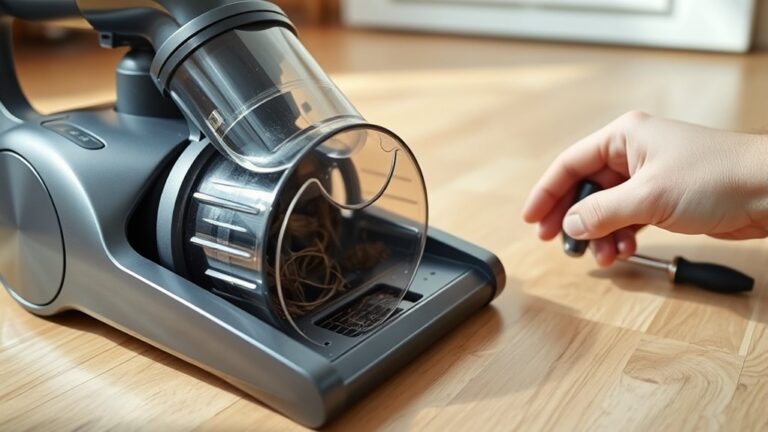
Look for blinking indicator lights on your Shark Vacuum; these lights signal specific motor or brushroll problems. Clear any obstructions like tangled hair or debris from the brushroll. Then, manually test if it spins freely.
If it’s stuck, clean or replace the brushroll or belt as needed. Finally, perform a reset by turning off the vacuum, unplugging it, and waiting 2-3 minutes to clear system errors.
Regular maintenance of filters, vents, and brushrolls can help avoid motor problems and overheating. This way, you can keep your vacuum running smoothly without hassle.
Frequently Asked Questions
Why Is My Shark Vacuum Suddenly Not Turning On?
Your Shark vacuum isn’t turning on because it might have overheated, the battery could be faulty, or internal wiring may be damaged.
Check for loose connections, let it cool, and inspect the power cord before seeking repair.
Sometimes, a quick reset or giving it some time to cool down can do the trick. If that doesn’t help, it’s probably best to have it looked at by a professional.
Why Is My Vacuum Suddenly Not Turning On?
Your vacuum’s like a sleeping giant—it won’t wake if the power cord’s loose, battery’s dead, switch’s stuck, or it’s overheated.
Check these parts first; one hiccup can keep it silent and still.
Sometimes it’s just a quick fix, so don’t stress!
Does My Shark Vacuum Have a Reset Button?
Most Shark vacuums don’t have a reset button. You’ll usually reset yours by unplugging it, waiting a few minutes, then plugging it back in.
But hey, it’s a good idea to check your manual. Some models might have a specific reset procedure you’ll want to follow.
Why Is My Shark Vacuum Unresponsive?
Just like a knight without his sword, your Shark vacuum’s unresponsiveness often comes from a faulty power switch, damaged wiring, or a tripped thermal switch.
Check these before assuming it’s broken beyond repair. Sometimes, the fix is simpler than you think!
Conclusion
If your Shark vacuum isn’t turning on, don’t worry—you can fix it. Like a detective piecing together clues, start by checking the power source, battery, and assembly first.
Next, take a look at the motor and brushroll for any issues that might be causing trouble. Sometimes these parts get jammed or dirty, stopping your vacuum from working properly.
With a little patience and these quick steps, you’ll have your vacuum running smoothly again in no time. Remember, small problems often hide behind simple fixes, so keep troubleshooting until you find the solution.
In summary, when your Shark vacuum won’t turn on, focus on power connections, battery life, and proper assembly. Don’t forget to inspect the motor and brushroll as well. By following these easy checks, you can often resolve the issue yourself without needing professional help. Staying patient and methodical will get your Shark vacuum back in action quickly, saving you time and hassle.